
If you run a WooCommerce store in India, you must understand how CGST, SGST, and IGST work — especially when selling across states.
Many store owners assume that if tax is calculated, everything is fine. But GST compliance depends not just on calculation — it depends on correct classification and invoice display.
In this guide, we’ll clearly explain:
- What CGST, SGST, and IGST mean
- When each one applies
- How WooCommerce handles them
- Common mistakes Indian stores make
What Is CGST, SGST & IGST?
Under India’s GST system:
CGST (Central GST)
Collected by the Central Government.
SGST (State GST)
Collected by the State Government.
IGST (Integrated GST)
Collected by the Central Government for inter-state transactions.
When Does Each Apply?
The rule is simple:
Same-State Sale
If your store and the customer are in the same state:
You charge:
- CGST
- SGST
Example:
Store location: Gujarat
Customer location: Gujarat
Tax charged:
- CGST 9%
- SGST 9%
Inter-State Sale
If your store and the customer are in different states:
You charge:
- IGST only
Example:
Store location: Gujarat
Customer location: Maharashtra
Tax charged:
- IGST 18%
How WooCommerce Handles GST Calculation
WooCommerce can calculate taxes correctly — but only if:
- You configure tax rates properly
- You calculate tax based on shipping address (recommended)
- You set correct tax classes
However, calculation alone is not enough.
Your invoice must clearly show:
- CGST amount
- SGST amount
- IGST amount
- Place of Supply
If this breakup is unclear, your invoice may not be compliant.
Common GST Mistakes in WooCommerce Stores
Here are mistakes frequently seen in Indian WooCommerce setups:
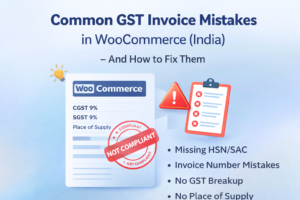
1️⃣ Not calculating tax based on shipping address
If billing address is used instead of shipping address, inter-state logic may break.
2️⃣ Incorrect tax rates configured
Sometimes store owners add only 18% GST instead of splitting CGST and SGST.
3️⃣ Invoice not showing proper breakup
Even if tax is calculated internally, invoices sometimes show only “GST” without split.
4️⃣ Missing Place of Supply
GST invoices must show place of supply for inter-state transactions.
5️⃣ No financial year invoice numbering
Using order number as invoice number is not GST compliant.
Why Proper Tax Breakup Matters
During GST audits, authorities check:
- Whether correct type of tax was charged
- Whether CGST/SGST/IGST classification was correct
- Whether invoices reflect correct breakup
- Whether inter-state sales were treated properly
Incorrect breakup can create compliance risk — even if the total tax amount is correct.
How to Ensure Proper GST Invoices in WooCommerce
To ensure compliance:
- Configure tax rates correctly (CGST, SGST, IGST)
- Calculate tax based on shipping address
- Use a proper GST invoice format
- Show Place of Supply
- Follow financial-year invoice numbering
A dedicated GST invoice solution simplifies this process.
Smart GST Invoice for WooCommerce (India)
If you want your invoices to:
- Automatically show correct CGST/SGST/IGST breakup
- Follow financial year numbering
- Include HSN/SAC codes
- Display Place of Supply properly
- Generate audit-ready PDFs
You can explore:
https://eproductdownload.com/smart-gst-invoice-for-woocommerce-india/
Final Thoughts
GST calculation and GST invoicing are two different things.
WooCommerce handles tax calculation — but compliance depends on how that information is structured and displayed.
Understanding CGST, SGST, and IGST logic ensures that your WooCommerce store stays audit-ready and compliant.
If you haven’t reviewed your invoice structure recently, now is a good time to check.