
If you run a WooCommerce store in India, generating GST-compliant invoices is not optional — it is a legal requirement.
Many store owners assume WooCommerce automatically handles GST invoices correctly. Unfortunately, that is not entirely true.
In this guide, we’ll explain:
- What a GST-compliant invoice must include
- Why default WooCommerce is not enough
- Common mistakes Indian stores make
- The simplest way to generate audit-ready invoices
What Is a GST-Compliant Invoice in India?
Under GST rules, a proper tax invoice must include:
- Invoice number (unique & sequential)
- Invoice date
- Supplier name & GSTIN
- Customer details
- Place of supply
- HSN / SAC code
- CGST / SGST / IGST breakup
- Taxable value & total amount
- Declaration
Missing any of these can cause issues during audits.
If you’re unsure, consult your CA — but your invoicing system must support these fields properly.
Why Default WooCommerce Is Not Enough
WooCommerce supports tax calculation.
But it does not automatically create GST-compliant PDF invoices with all required fields.
Common limitations:
- No financial-year invoice numbering
- No proper GST invoice format
- No HSN/SAC field by default
- No audit-ready PDF export
- No structured CGST/SGST/IGST display
This creates risk — especially if your store handles inter-state orders.
Understanding CGST, SGST & IGST in WooCommerce
In India:
- Same-state orders → CGST + SGST
- Inter-state orders → IGST
Example:
If your store is based in Gujarat:
- Customer in Gujarat → CGST + SGST
- Customer in Maharashtra → IGST
WooCommerce can calculate tax correctly — but your invoice must clearly show the breakup.
Many invoice plugins fail here or mix values improperly.
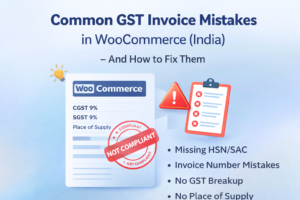
Common GST Invoice Mistakes in WooCommerce Stores
Here are mistakes we frequently see:
- Using order number as invoice number (not compliant)
- No financial-year-based numbering
- Missing Place of Supply
- No HSN/SAC code
- Incorrect tax breakup display
- Invoices generated manually in Excel
- Old orders without proper invoices
During a GST audit, these can become serious issues.
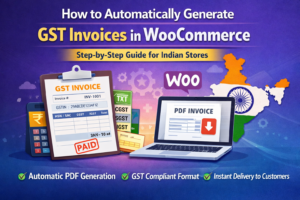
How to Generate Proper GST Invoices in WooCommerce
To generate compliant invoices, you need a system that:
- Creates invoice numbers automatically
- Follows financial year numbering (e.g., 2024–25)
- Shows CGST/SGST/IGST correctly
- Supports HSN/SAC codes
- Generates clean PDF invoices
- Allows regeneration for old orders
This is where a dedicated GST invoice solution becomes important.
Smart GST Invoice for WooCommerce (India)
To solve these issues, we built Smart GST Invoice for WooCommerce, specifically for Indian stores.
It provides:
- Automatic PDF GST invoices
- Financial-year invoice numbering
- Proper CGST / SGST / IGST breakup
- HSN / SAC support
- HPOS compatibility
- Invoice generation for old orders
- Clean, audit-ready format
It is already used in live Indian WooCommerce stores.
You can learn more here:
https://eproductdownload.com/smart-gst-invoice-for-woocommerce-india/
Where Are GST Invoices Stored?
Invoices are stored securely inside your WordPress uploads directory, organised year-wise.
Even if the plugin is removed, previously generated invoices remain safe — which is important for legal compliance.
Is Your WooCommerce Store GST-Ready?
Before assuming everything is correct, check:
- Do your invoices have financial-year numbering?
- Is Place of Supply shown?
- Is tax breakup clearly displayed?
- Can you regenerate invoices for past orders?
- Are your PDFs clean and audit-ready?
If the answer to any of these is “No”, it’s time to fix your invoicing system.
Final Thoughts
GST compliance is not just about tax calculation — it is about proper documentation.
WooCommerce handles sales well, but GST invoicing requires additional structure.
If you want a simple, India-focused solution without unnecessary bloat, Smart GST Invoice is built specifically for that purpose.
👉 Explore Smart GST Invoice for WooCommerce (India)
Stay compliant. Stay audit-ready.